CITO
#AI Research
#Web Platform
#B2C
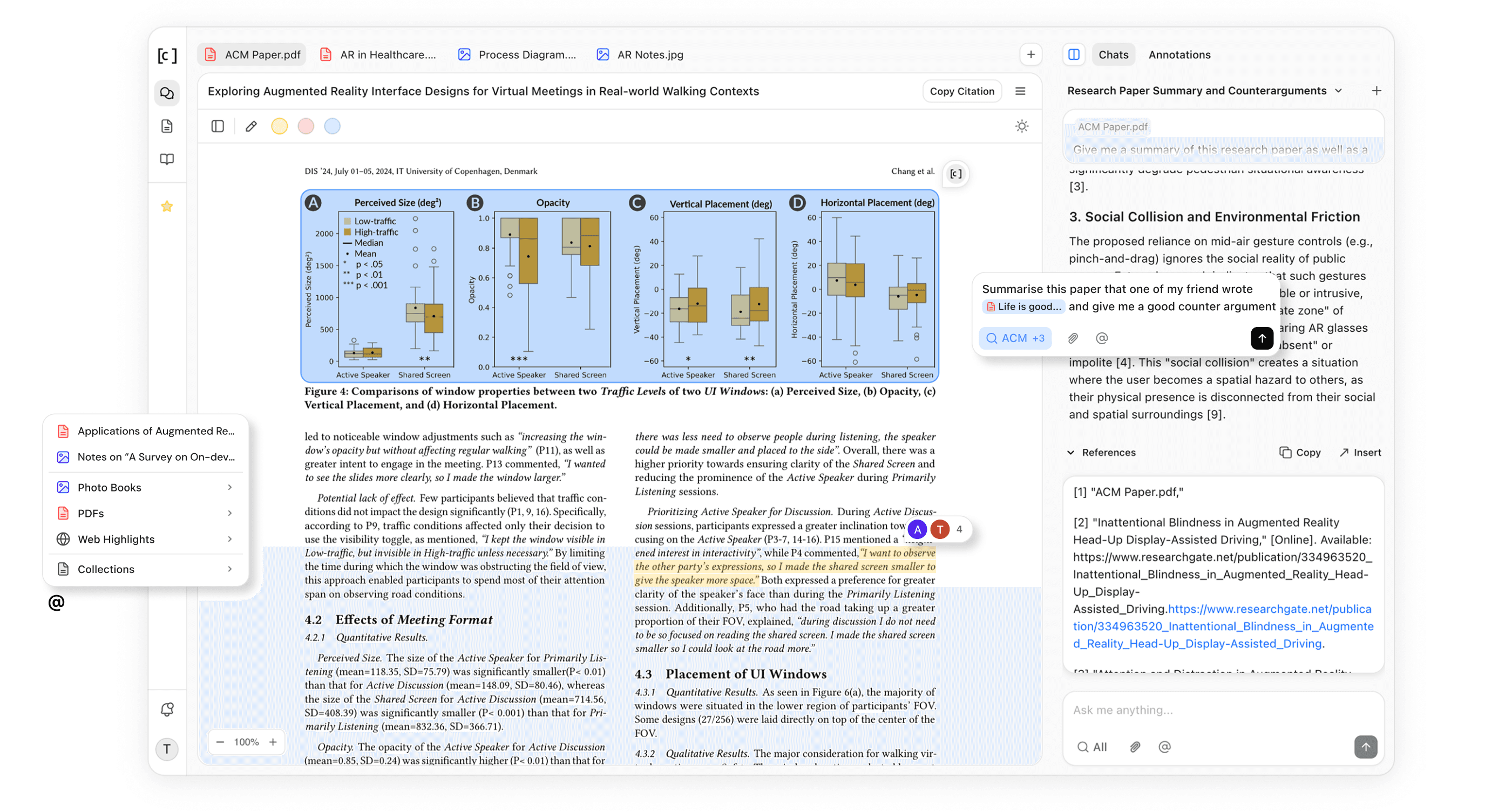
CITO is a research workspace where every source lives in one place and a single persistent AI follows you everywhere, inside the product and across the web through a Chrome extension.
Date
Tools
Team
x1 Designer / UX Researcher / Front-End (Me)
Problem
The context problem for LLMs in research workflows
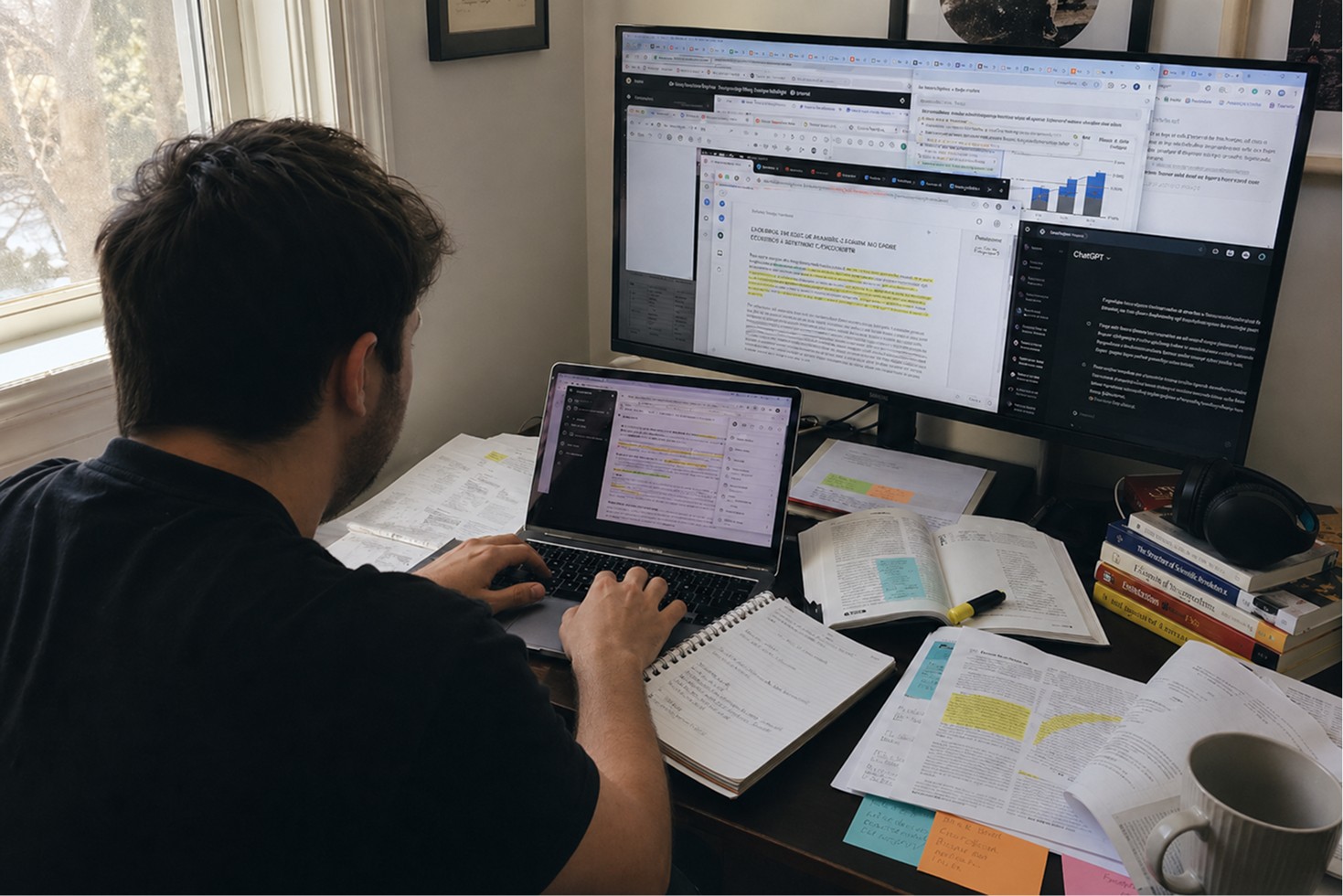
Research still happens across the physical and digital; papers, PDFs, web articles, etc. LLMs have a simple chat interface without much shared context through sessions.
Cursor solved these problems for coding, how do we do that for research?
Solution
A single workspace across the entire research process.
Feature 01 : Academic sourcing
Start with academic sources (e.g. ACM, IEEE Xplore, arXiv) then add the sources you trust. Build a reading list that surfaces the most relevant work, the most cited papers, and the foundational “giants” behind them.
Feature 02 : Persistent library + direct referencing through @ mentions
Feature 03 : Content Extraction from PDFs & Images
Bring your physical and digital notes together. CITO extracts printed text, handwriting, and diagrams from PDFs & images, then generates descriptions so your notes become searchable, quotable context.
Feature 04 : Research agent
Agents plan, search, read, and synthesize before they write. Get structured, academically-toned answers that are grounded in your sources, not just a fast guess.
Feature 05 : Inline Citations & Bibliography Manager
Press [ to cite from your reference library. CITO inserts and reorders inline citations, keeps references consistent, and supports collaborative writing with export-ready formatting (PDF/DOCX).
Feature 06 : Chrome Extension for web source curation
Highlight any text on the web and save it to your workspace with an optional note.
Keep web annotations under the same roof as your papers, photos, and drafts.
Process & Iterations
The Problem that started everything
For my Master of Design thesis at UC Berkeley, I wanted to tackle the overwhelming experience people face when using LLM platforms to conduct research.
It is no surprise that researchers already use LLMs. According to a study in Cornell University, 81% of researchers worldwide have incorporated AI in their process. But what does it look like when they use platforms like ChatGPT, Perplexity, Claude etc?

The Assumption
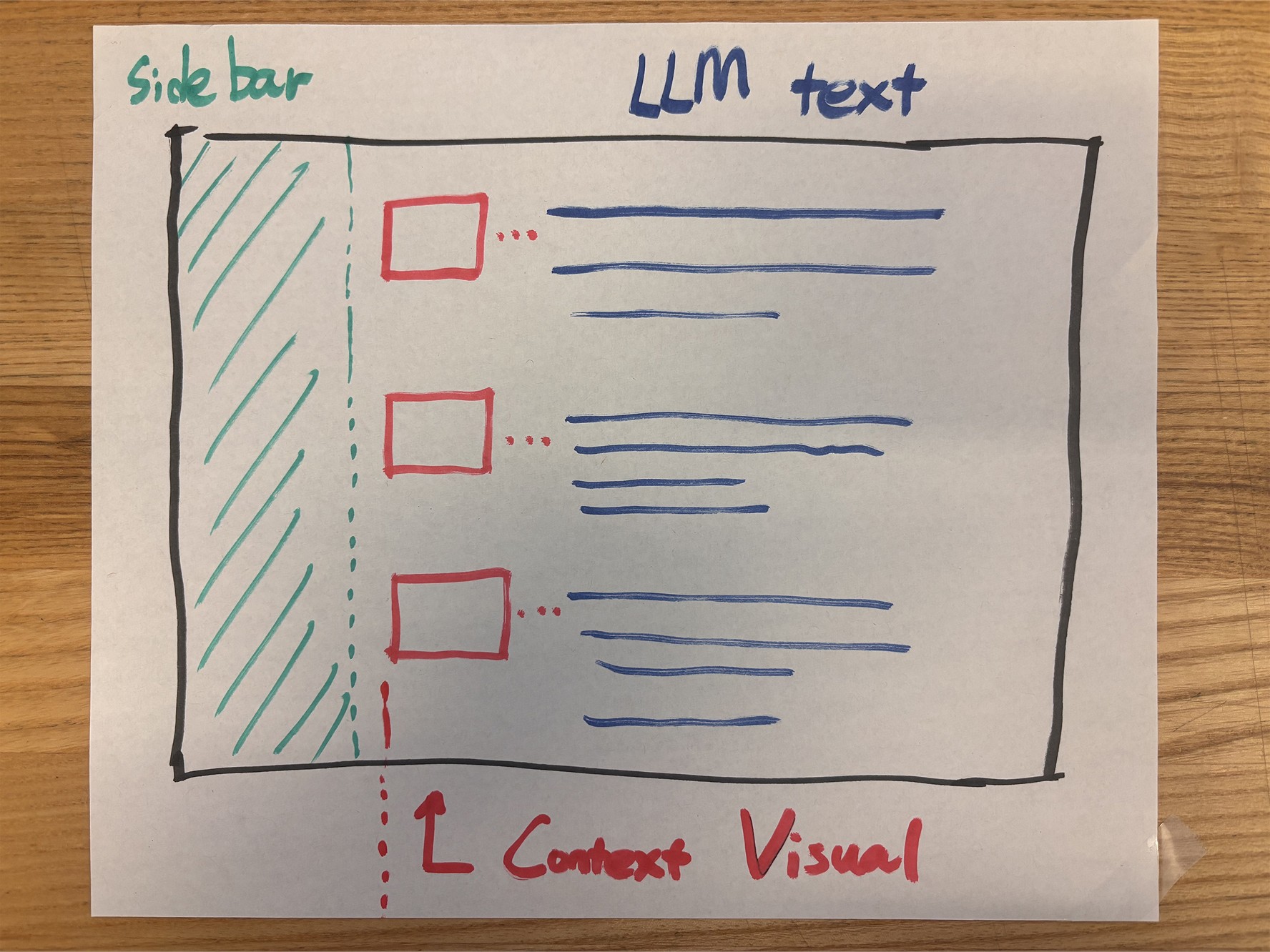
The problem led me to assume that the problem that most researchers face is the overwhelming amount of LLM text they have to swallow while conducting research. Thus, the solution I had in mind was to provide visual guidance to aid users to keep track of their research flow.
Researchers are overwhelmed with LLM text and lose track of their research
Visual Guidance for users to keep track of their research
The Initial Designs
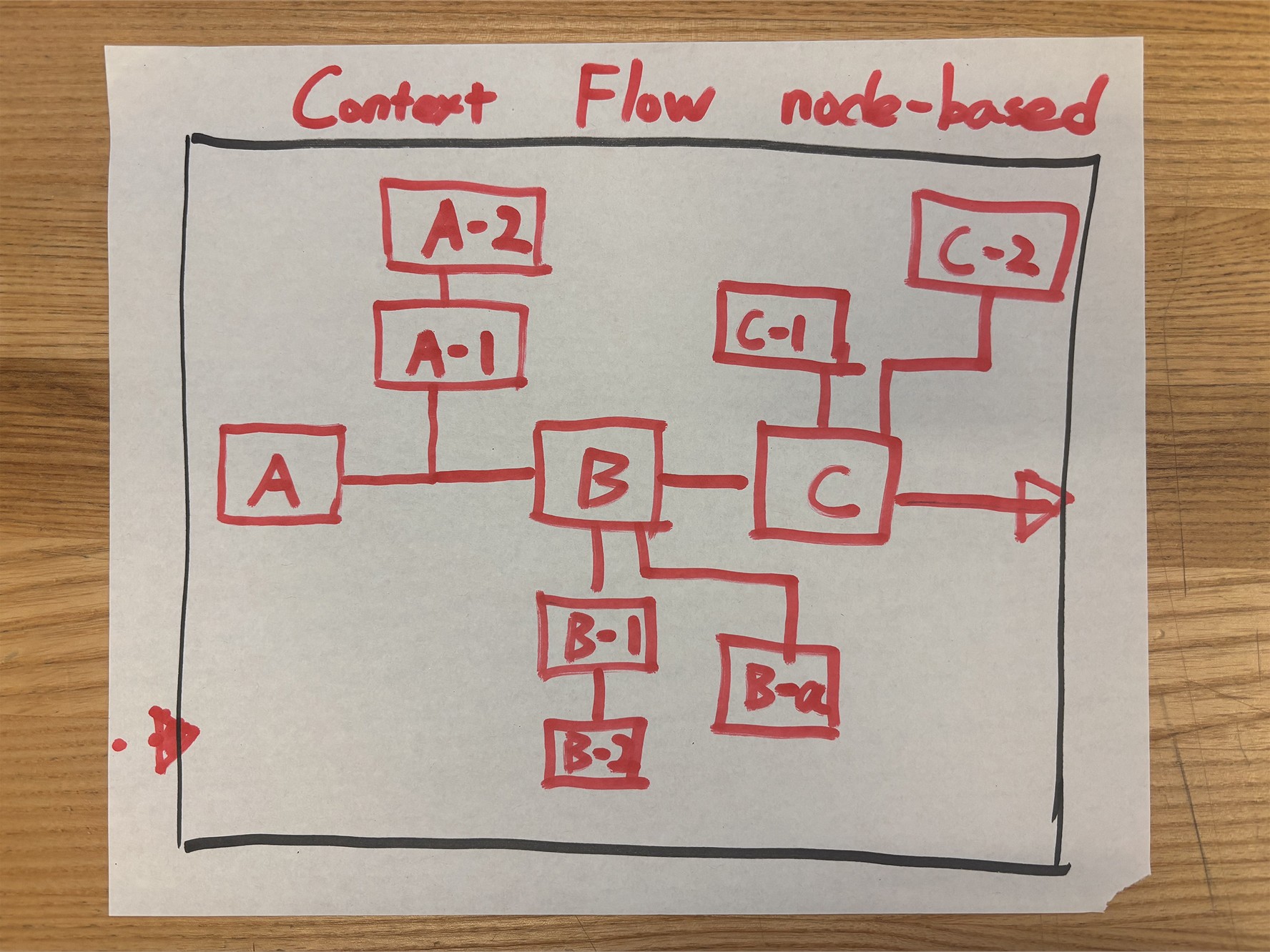
The initial idea I had was to leverage the white margins that existed on each side of every LLM platform. This allowed space to inject small blocks of summarized content for each generated answer by the LLM.
Moreover, each block could be connected to visually convey how the flow of the chat thread is organized. This way, users will not find themselves going down a rabbit hole of irrelevant or unrelated questions in their research.
User Research for Validation
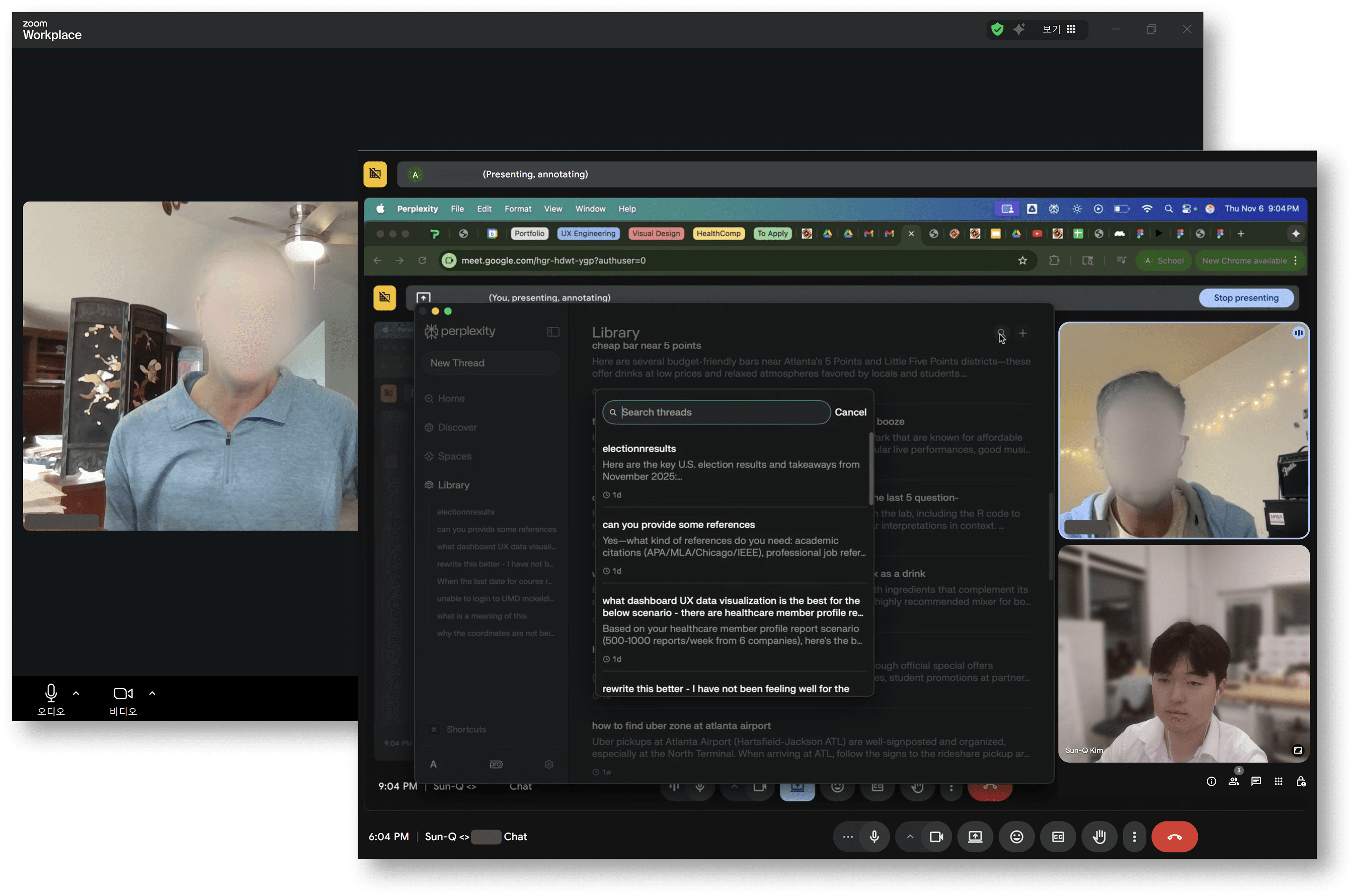
LLM platform users are NOT looking for visual guidance to keep track of their research.
PhD candidates go over 300+ sources while writing research papers, making it difficult to keep track of why each source had significance.
Researchers have to constantly feed the context of their research paper draft to AI platforms, due to the lack of direct LLM access to their paper.
Organization across sources is overwhelming when sources exist both digitally and physically.
The Problem Redefinement
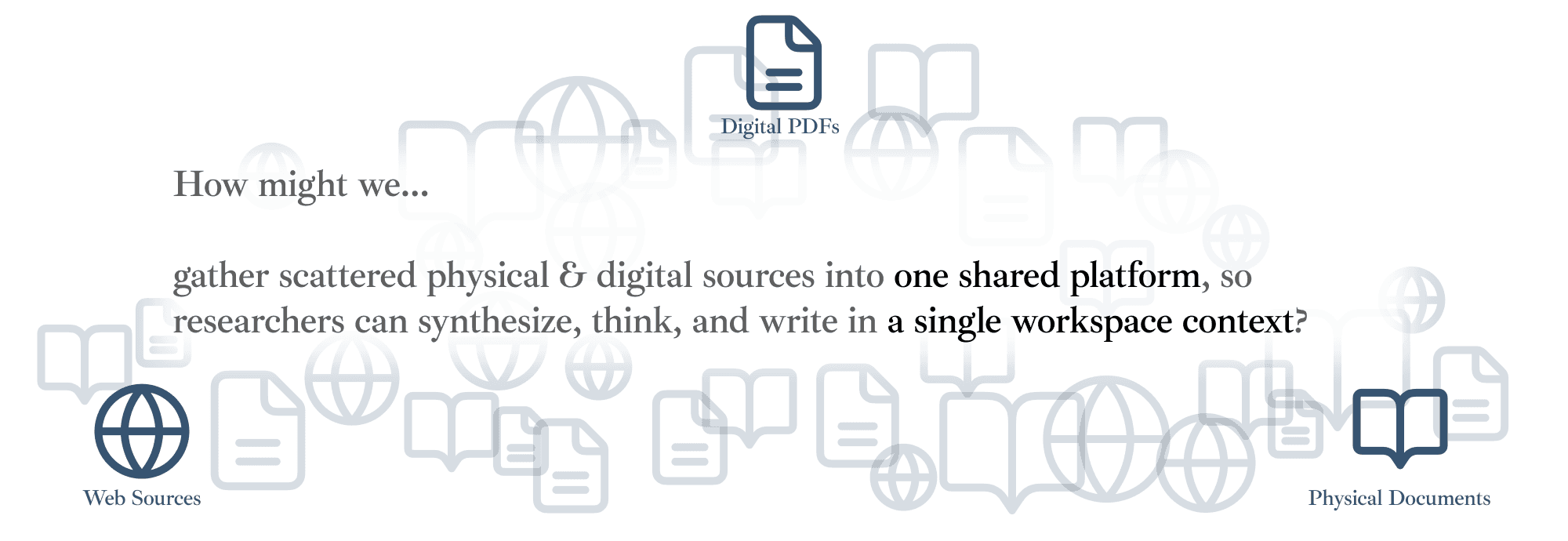
The user research proved that my assumptions were inaccurate. Researchers were not asking for visual guidance of their research flow. The actual problem was the loss of the context & intent of each source buried in hundreds of sources across countless platforms.
Researchers are overwhelmed with LLM text and lose track of their research
User intent & context gets lost across scattered research sources
1st Iteration
System Architecture
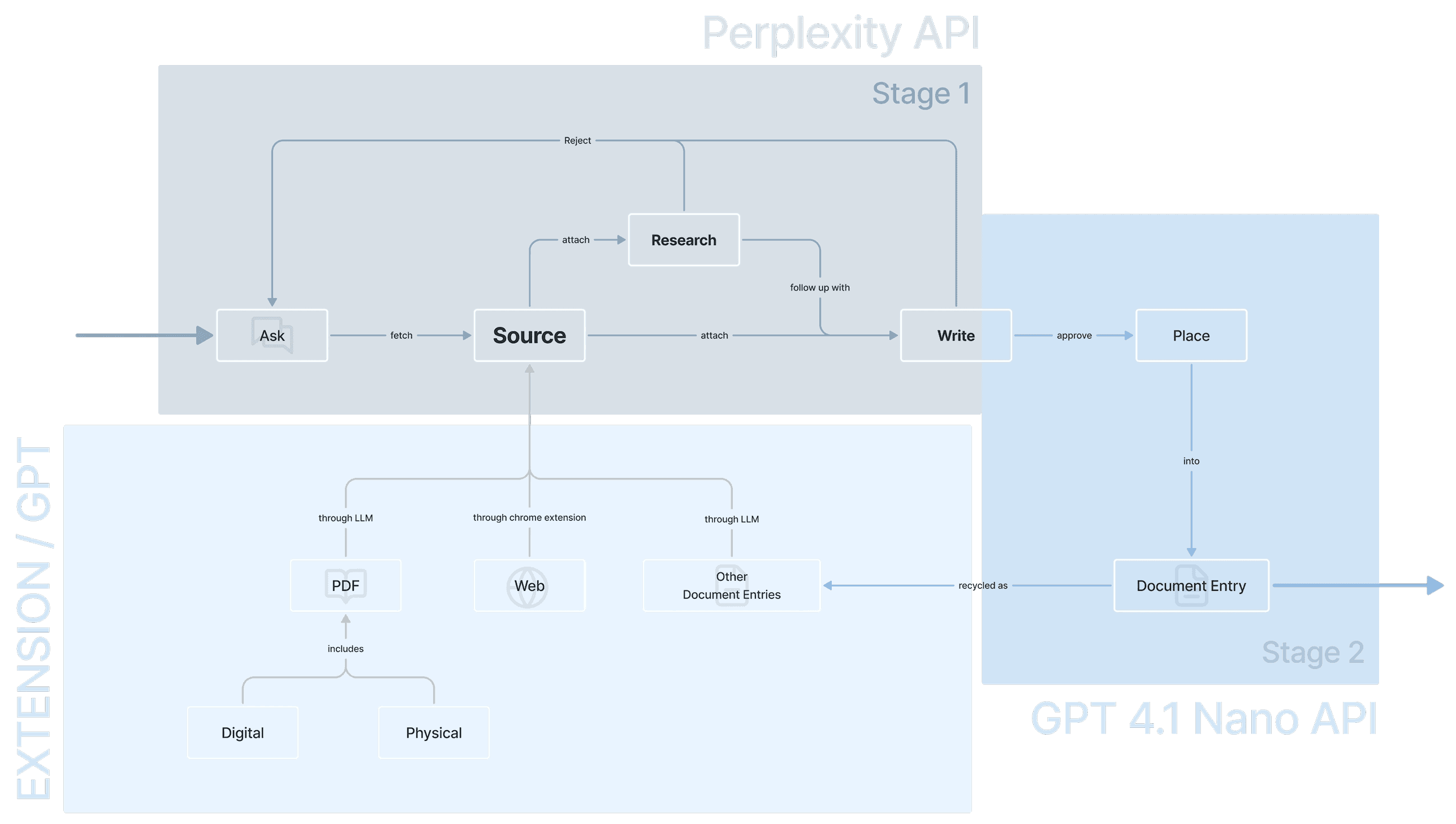
The overall system architecture mainly utilizes 2 APIs.
The Perplexity API : functions as the research agent, scraping across online sources to find relevant data to the user's attached sources and inquiries.
The GPT 4.1 Nano API : functions as the document writing agent, placing the research output into the built-in document writing platform.
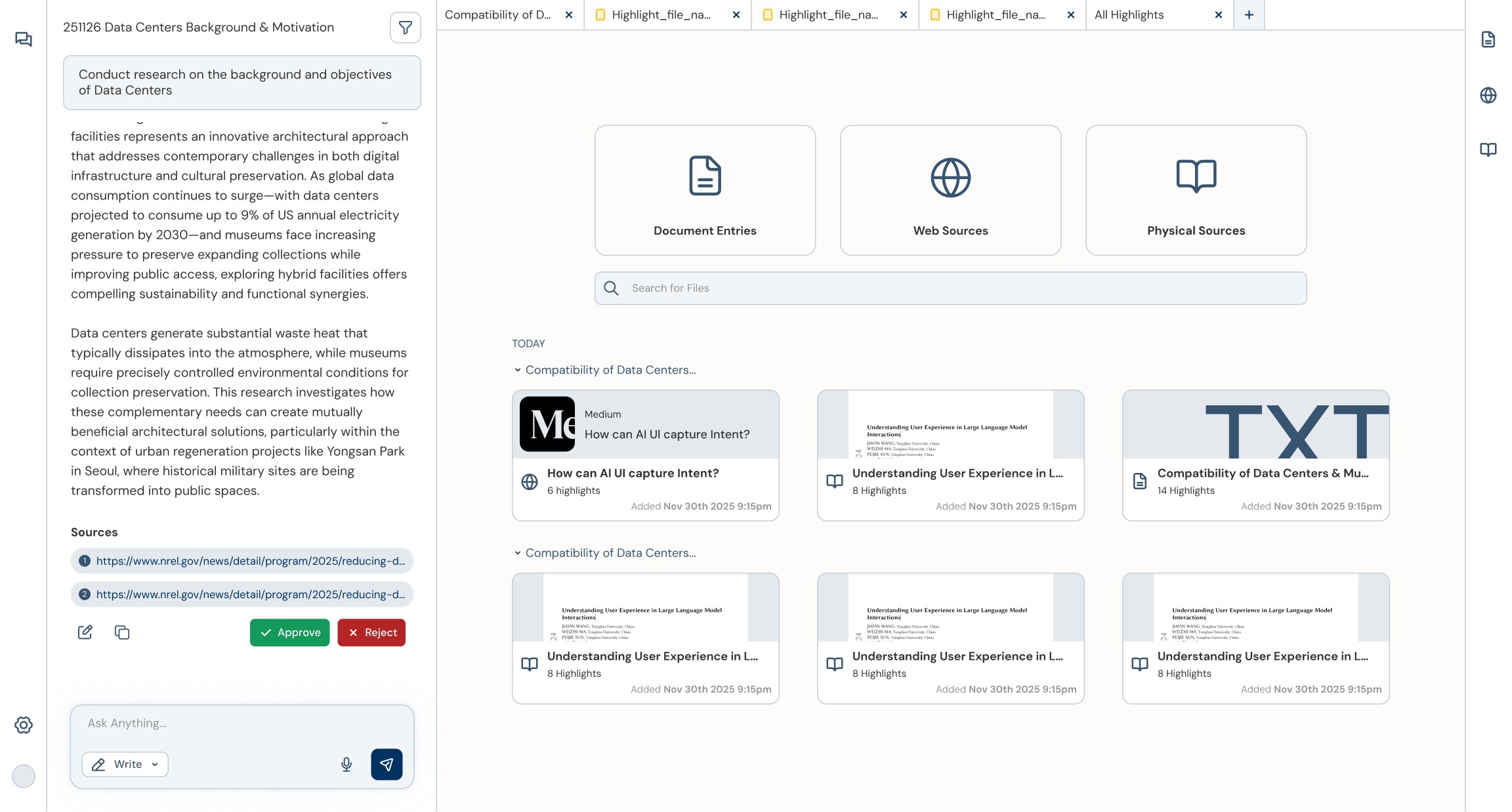
Built-in Research Document Editor
Users interact with the chat interface on the left to command research inquiries to the agent. They can approve research outputs directly into the built-in document editor, sharing the context of the entire document and the research sources used.

Research Source Highlights Archive
Users can highlight content from PDF files, other documents, web sources (via chrome extension), and physical papers with a note describing the intent of its usage. These highlights are directly attachable into the chat interface as references with its context.

Research Source Tabs
Multiple tabs can be opened to directly view each source format (other document entries, web sources, physical sources etc) so users do not have to constantly switch between other platforms.
Final Iteration
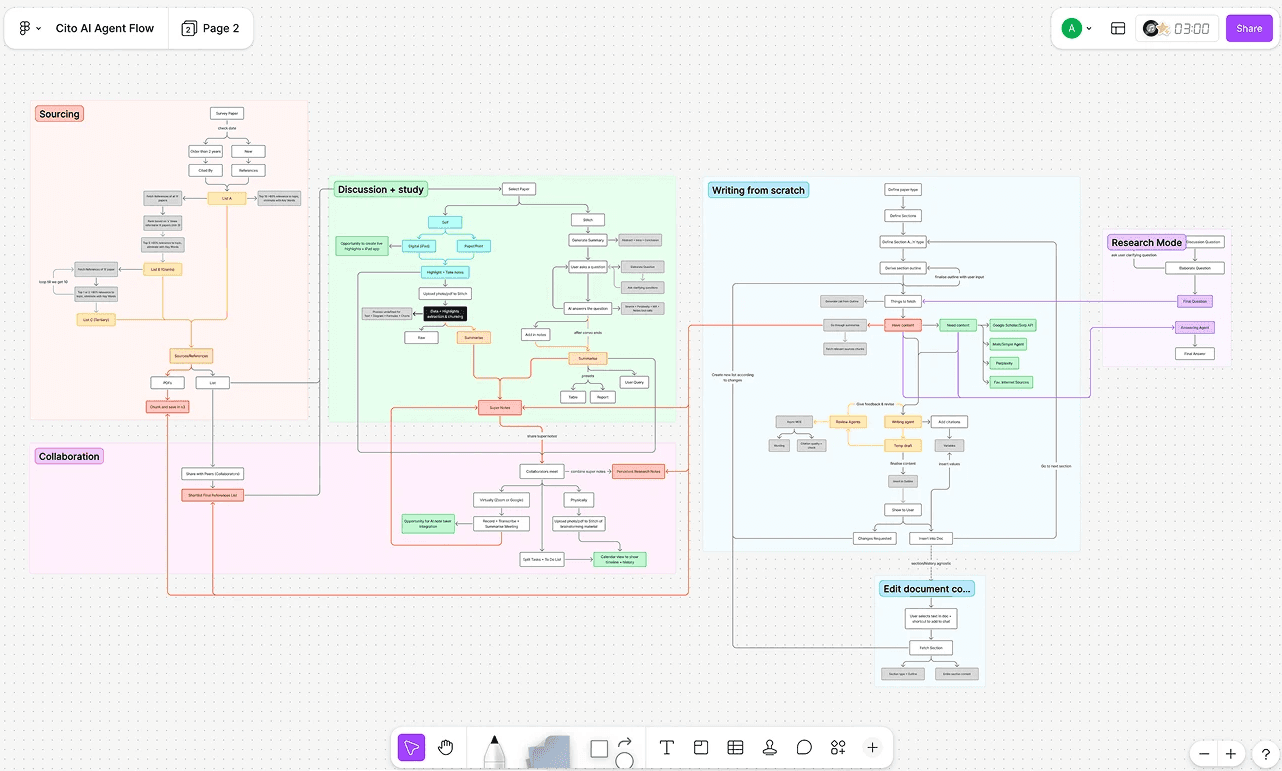
System Architecture
The system architecture was further developed in detail to mimic the process of actual researchers so that platform is more catered to the end-to-end research process than just a simple Q&A chatbot.
Iterated Built-in Research Document Editor
Users faced confusion with the divided sidebars existing both on the left & right, as well as the chat interface being placed on the left. As the main task of the workspace is document editing & browsing, it was more natural in terms of usability to position the chat interface on the right side. Also all source tabs were combined to the left side bar for better organization.
Drag the slider to compare before & after iteration
Iterated Research Source Tabs
The list of sources could be displayed in a more compact manner as sources are incredibly large in number. Each source in the previous source took too much space whereas the iterated version allowed dozens of more sources to be displayed at once with the essential info. Users could also locate each source by typing in the chat interface with a preview of the content of each source.
Drag the slider to compare before & after iteration
Reference Manager
References matter significantly to researchers. Research conducted by the agent automatically tags all the sources it has used and adds them to the reference list. Users may also add new references manually.


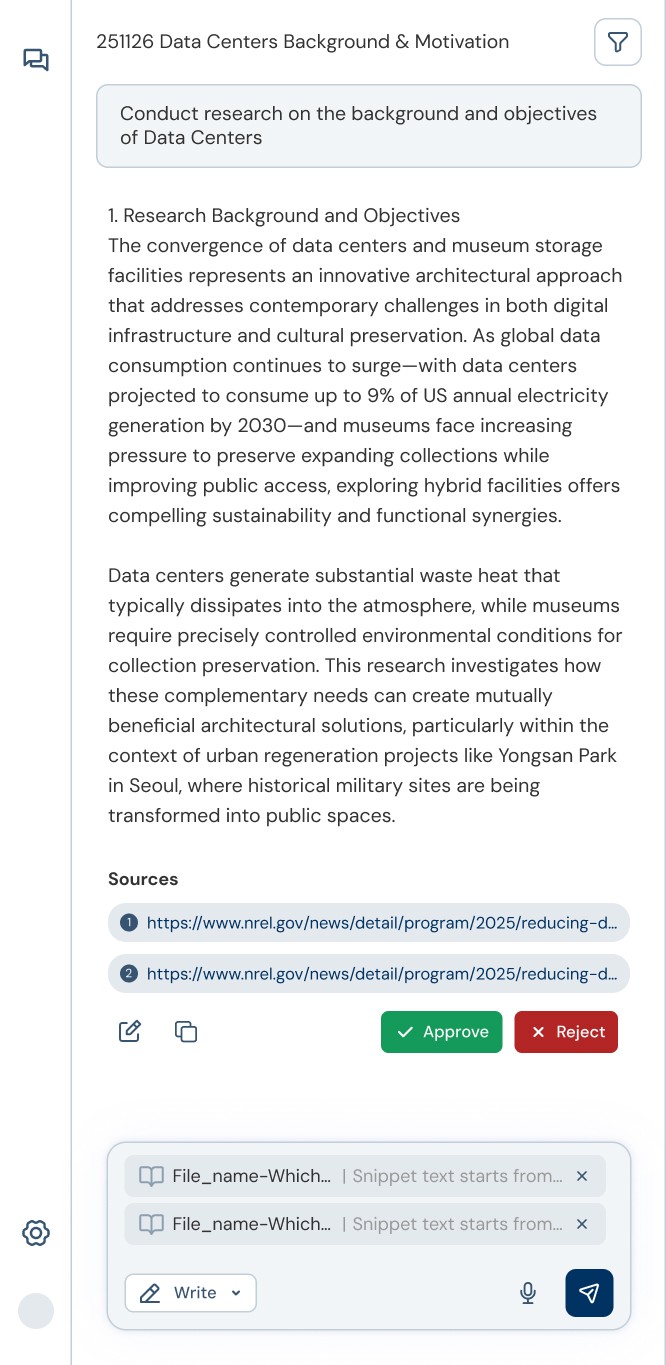
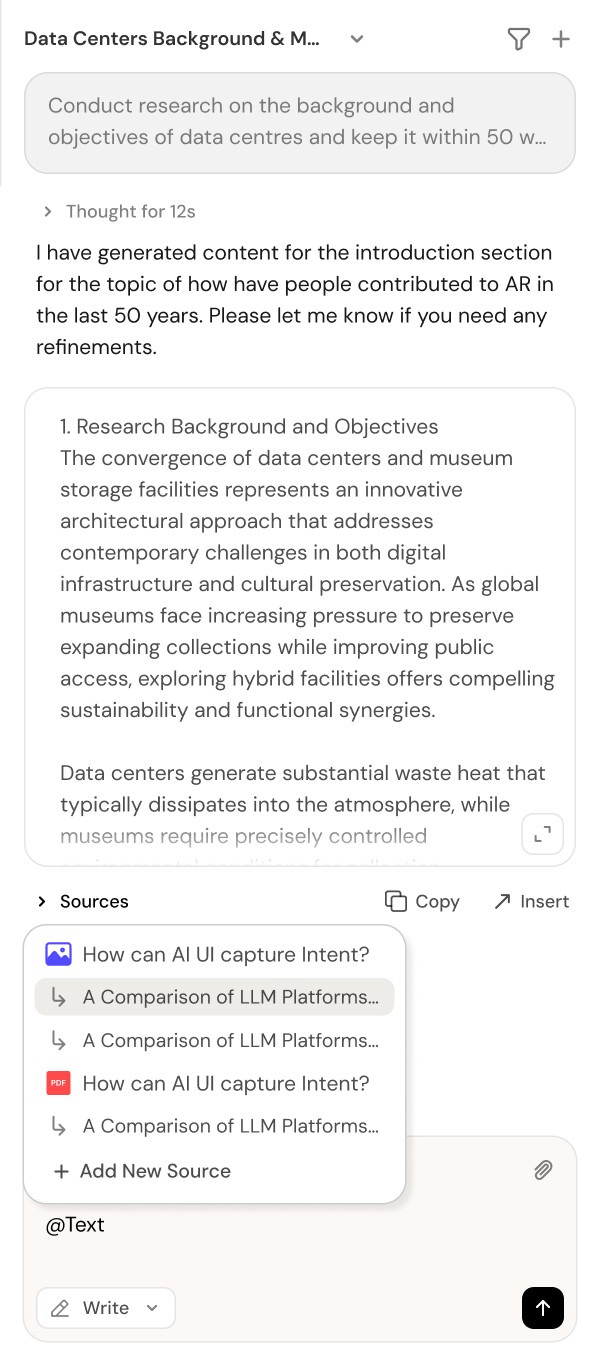
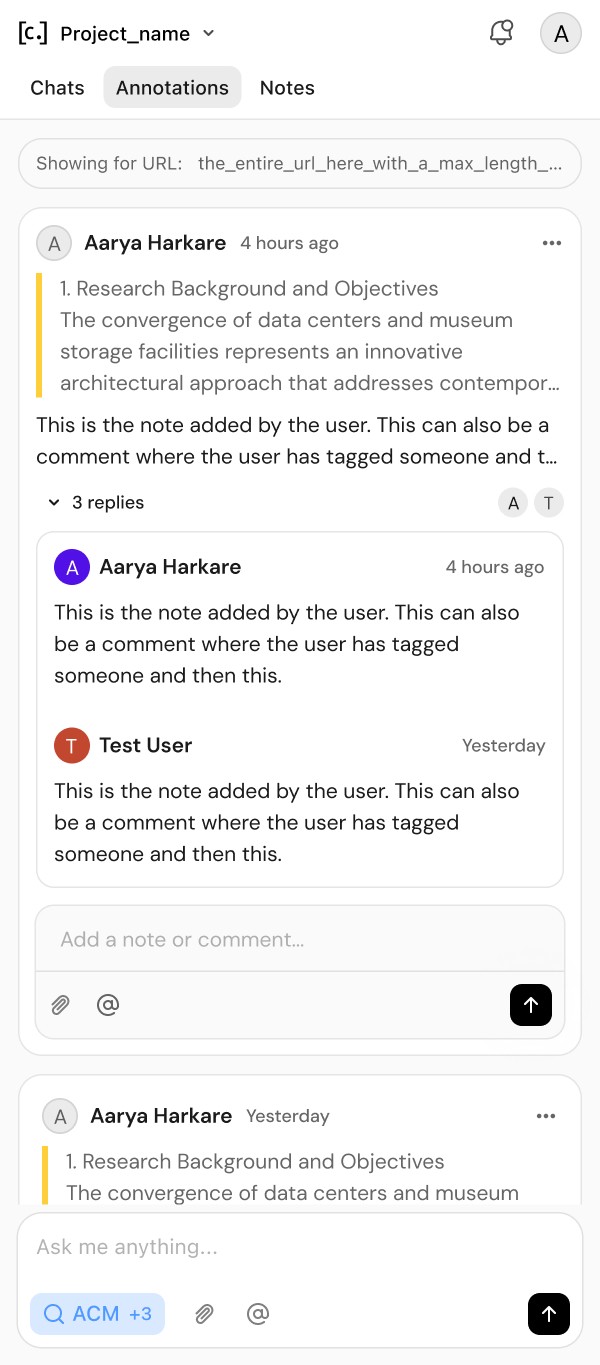
Chat Interface Iterations


Outcome & Takeaways
CITO is production-complete & pre-launch, built to support 1,000 concurrent users with 3 agent workflows and a digital extraction pipeline.
This was the first attempt to take on the full end-to-end role of product development including Ideation, User Research, Design, and Deployment.
This was also the first attempt to implement my designs using AI (Cursor-Figma MCP), allowing me to understand the front-end deployment process.
Through this project, I gained confidence to not be limited to manual design work, but also utilize AI to rapidly work across multiple roles as a multidisciplinary product designer.

Copyright©2026. All right reserved Sun-Q Kim