Melange
Melange is a one-stop on-device AI model deployment platform for all mobile devices. Developers or casual app builders can deploy any AI model, review benchmark data for each model, and deploy them locally on mobile devices by copy & pasting the SDK.
Date
November 2025 - May 2026
Tools
Figma, Cursor, Codex, Adobe CC
Team
x2 Co-Founders
x1 Founding Product Designer (Me)
x4 AI Engineers
x2 AI Engineer Interns
x2 Design Interns
Context
The Startup
I joined ZETIC as the Founding Product Designer, responsible for leading product design & management including planning product roadmaps, developing & implementing interfaces, ideating the brand design, and conducting user research.
Name
Stage
Domain
Users
Why Mobile On-Device AI Model Deployment?
ZETIC is on a mission to make on-device AI model deployment for any mobile device possible. It comes with multiple advantages.
No Latency
AI runs in real time without cloud latency
Full Privacy
All data stays on your personal device
Offline Access
Access anytime anywhere without internet connection
Problem
Fragmented workflow & lack of benchmark data for on-device mobile AI deployment
Deploying AI models on-device for mobile devices is a very lengthy and complex manual process due to each mobile device being equipped with its own individual tech stack.
The entire process can take several months.
Solution
Melange is a platform that processes your AI Model through optimization & conversion so that it becomes local-deployment ready across any tech stack of mobile devices.
Select or Upload Model
Bring your own model by uploading the raw model files or sharing the Hugging Face link.
Or you may select a model from our own model library.
Benchmark
Compare model performance metrics including Latency, SNR, Memory and TPS across 100+ real mobile devices to find the best deployment setting for each device.
Deploy
Copy & Paste our Melange SDK code block into your IDE environment to deploy the AI model in your project.
and additionally..
Chat & Search Model Recommendations
Unfamiliar with what model you need to build your local app?
Use our chat interface and tell us what you're building, and our agent will recommend the best models for you.
Process & Iterations
The 3 step deployment process
01 Select : Model Library Design
1st Iteration
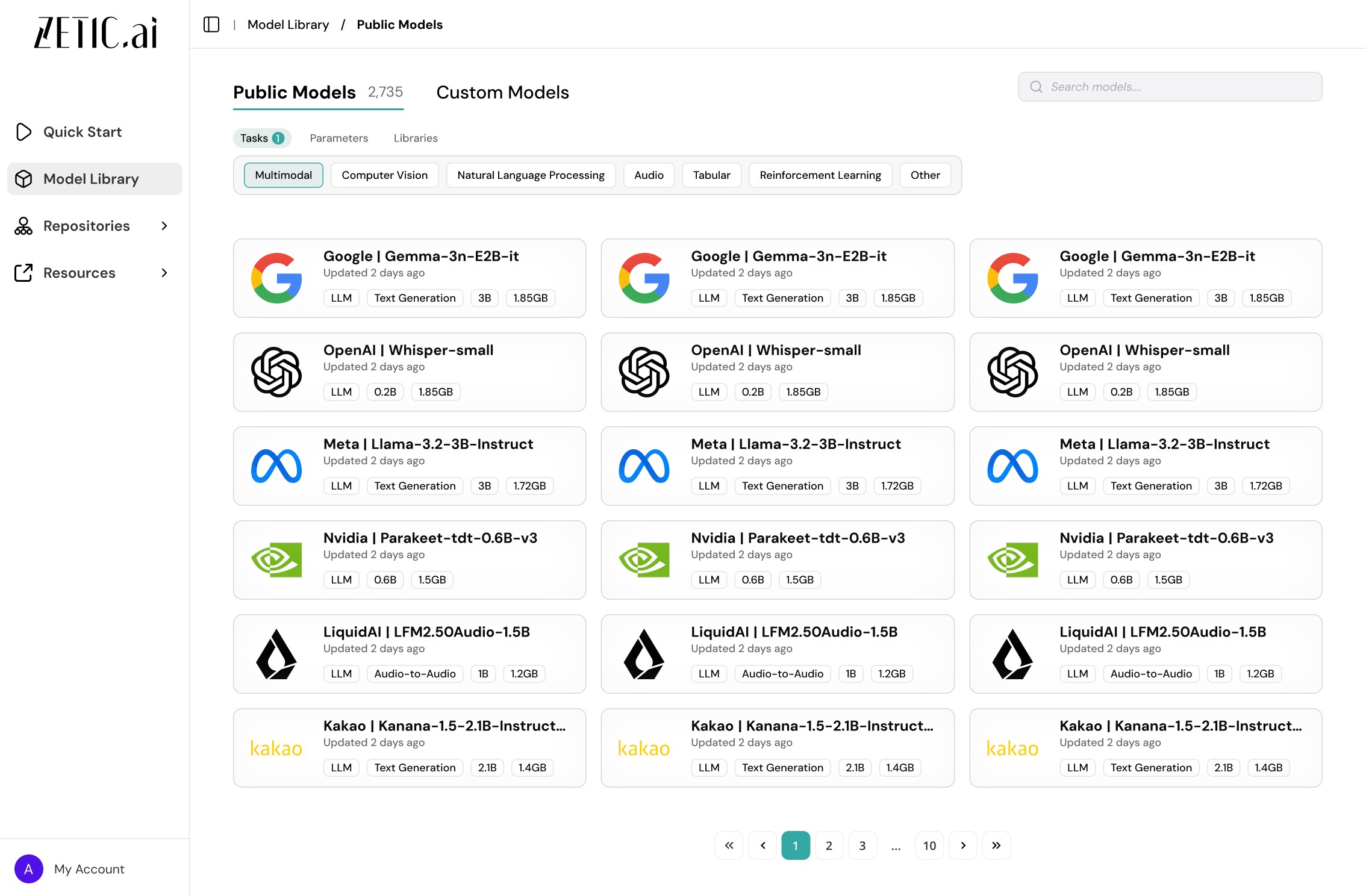
1st Draft of the Model Library Page
The model library displays all the models that have been converted and ready to use for all public users. Users can browse through all the models and select a model card to view further details.
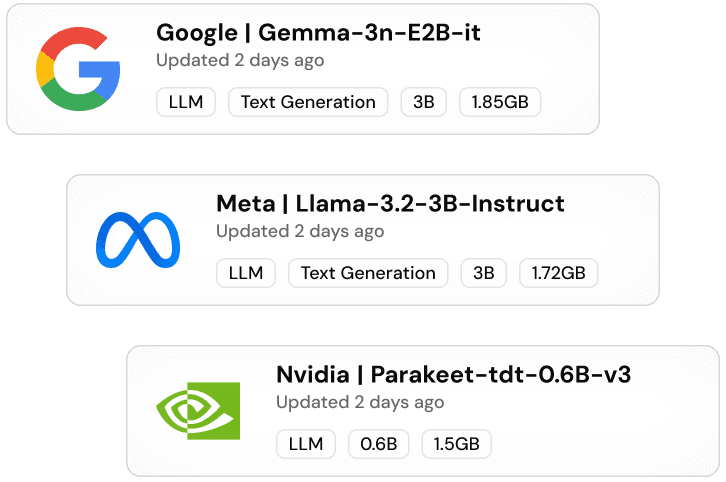
1st Draft of the Model Cards
1st Iteration Review
Goal
To show off the abundant amount of models prepared in the library
Ease of viewing models via filters
Design Aspects
3 column layout to highlight the number of model cards
Each card displaying relevant tags
Restrictions
Company logos were too distracting
Model card name length is not scalable
Unnecessary pagination clicks
Final Iteration
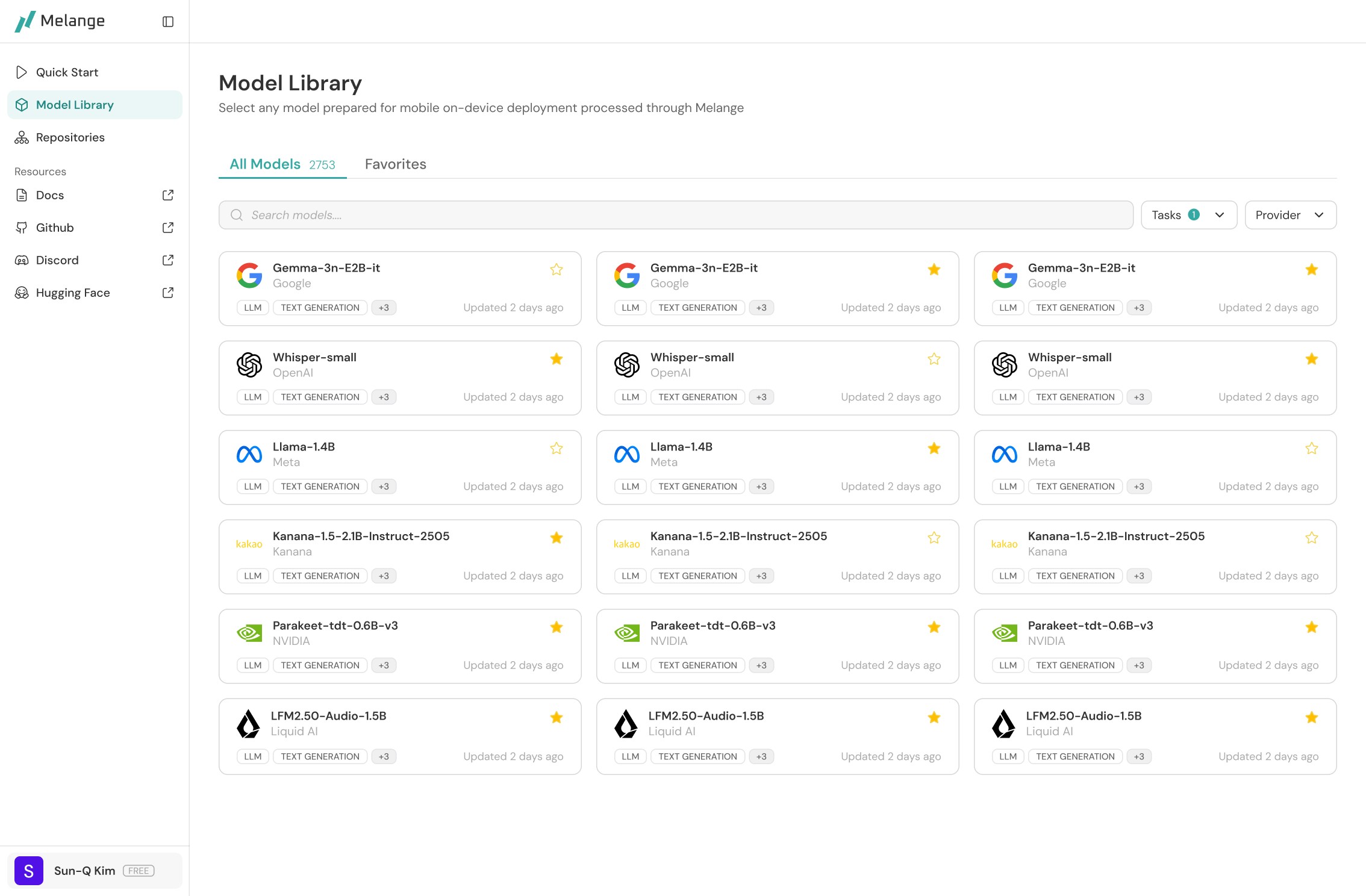
Final Draft of the Model Library Page
I redesigned the model library page to reduce the noise and make card names scalable.
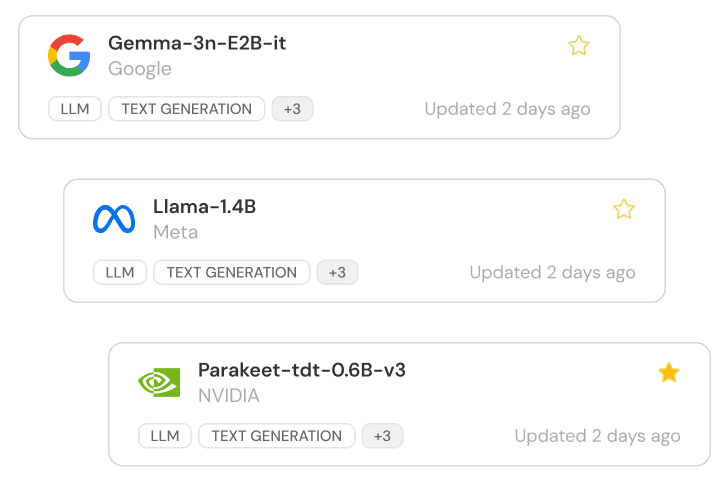
Final Draft of the Model Cards
Final Iteration Review
Goal
Reduce visual burden of model cards through visual hierarchy
Reduce manual clicks of pagination
Restructure model card name
Design Aspects
Search bar is more highlighted as main interaction
Redesigned model cards with visual hierarchy
Auto-display more cards by scrolling infinitely
Save favorite models for repetitive use
Effect
Lighter visual burden overall
Scalable model card names
Eliminated unnecessary pagination clicks
Easier favorites navigation
02 Benchmark : Model Summary Page Design
1st Iteration
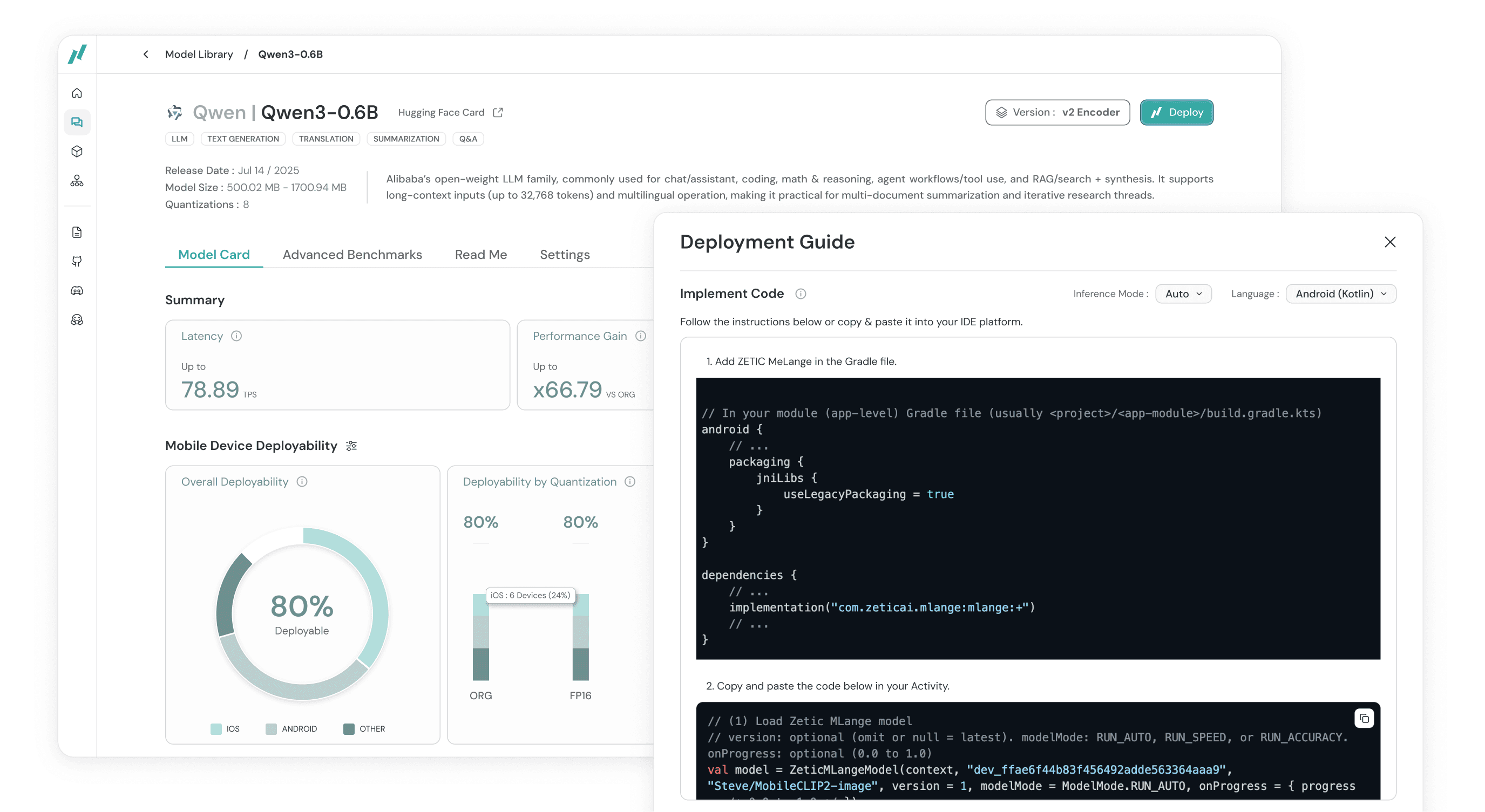
1) Once the user selects a model card, they can view the necessary benchmark data for model deployment.
2) Users click [Deploy], and view the inference table benchmarks to select the inference mode to deploy the model on.
3) Then users can view the SDK code to copy & paste in their IDE to deploy the model in the inference mode they have chosen.

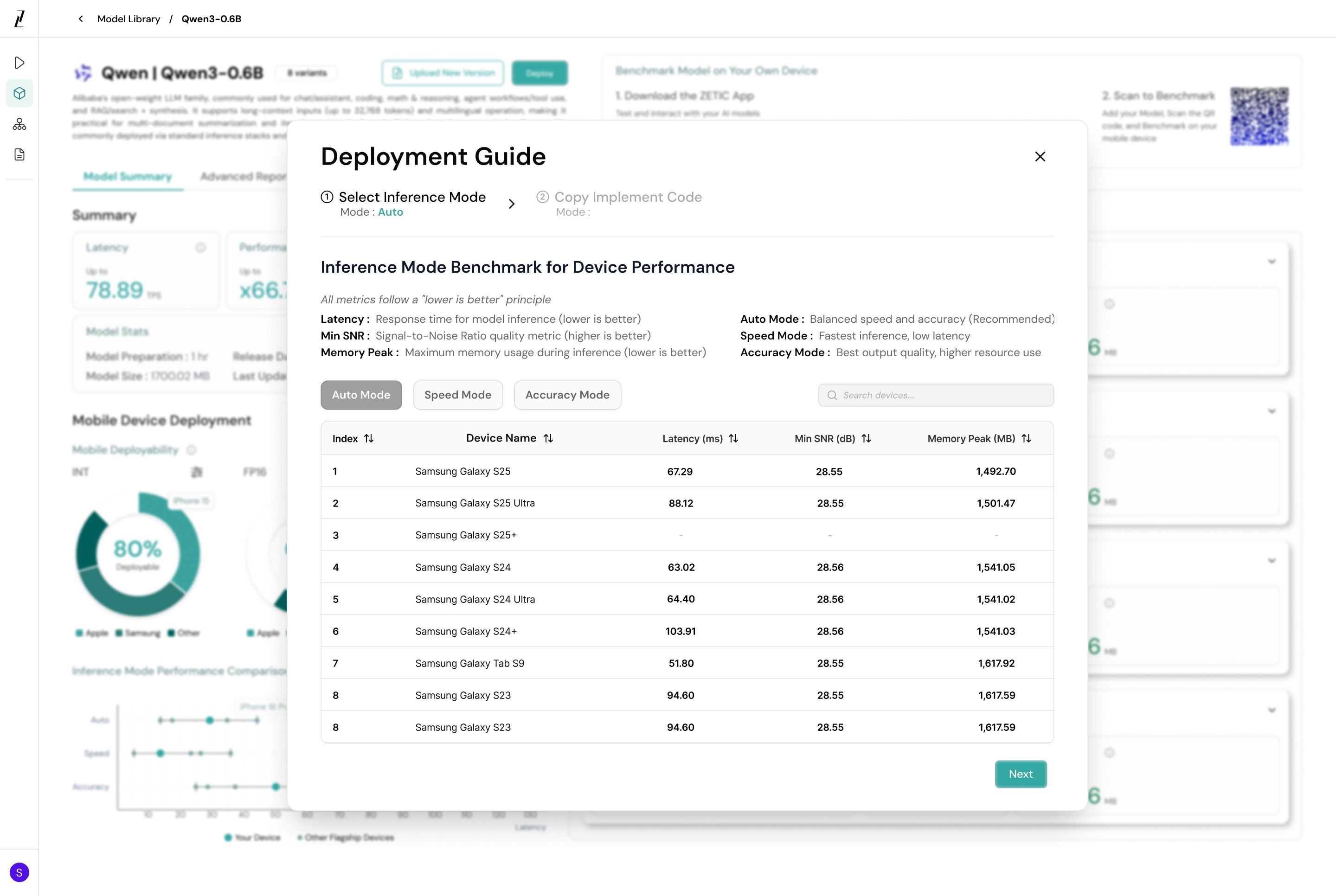

Click to view the frame of each step
1st Iteration Review
Goal
To convey the overall necessary benchmark data of the model for users to decide its deployment
Design Aspects
Each pie chart displays the device deployability for each quantization
Inference mode performance compares the model performance across devices for each mode
User Feedback / Limitations
Model comparisons are not useful
3 pie charts do not convey data efficiently and the colors lack contrast
Inference mode table was requested to be displayed in the summary page, prior to making the deployment decision
Final Iteration
The inference table that was previously visible once users click [Deploy] has been repositioned into the model summary page.
Users can review the inference mode performances as soon as they select a model card.
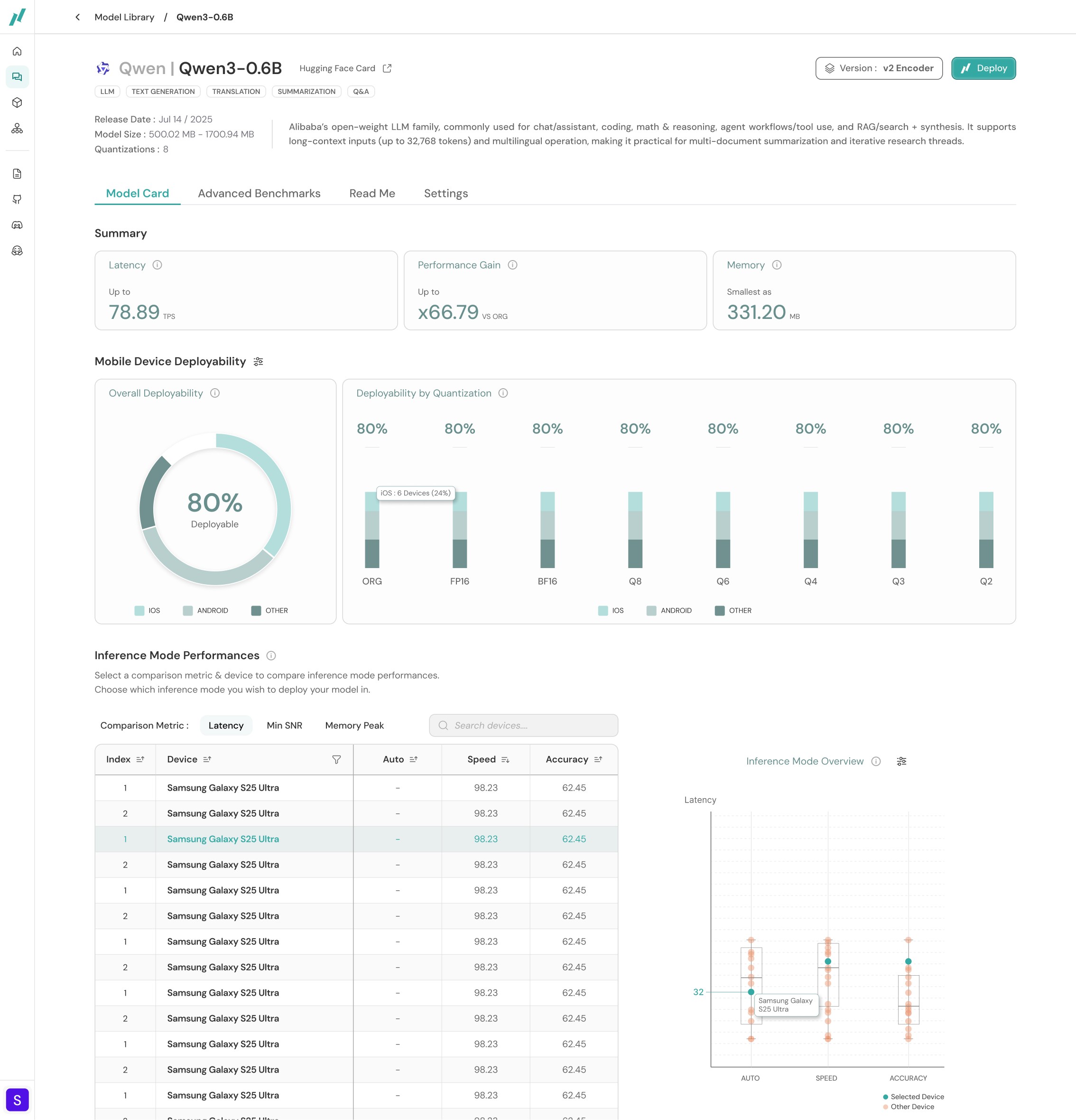
The final version of the model benchmark summary page
Final Iteration Review
Goal
Design Aspects
Effect
Other exploratory Iteration
This design reduces the step of clicking [Deploy] itself and allows users to view the deployment SDK code directly by merging it into the [Benchmark] interface. However there were tradeoffs :
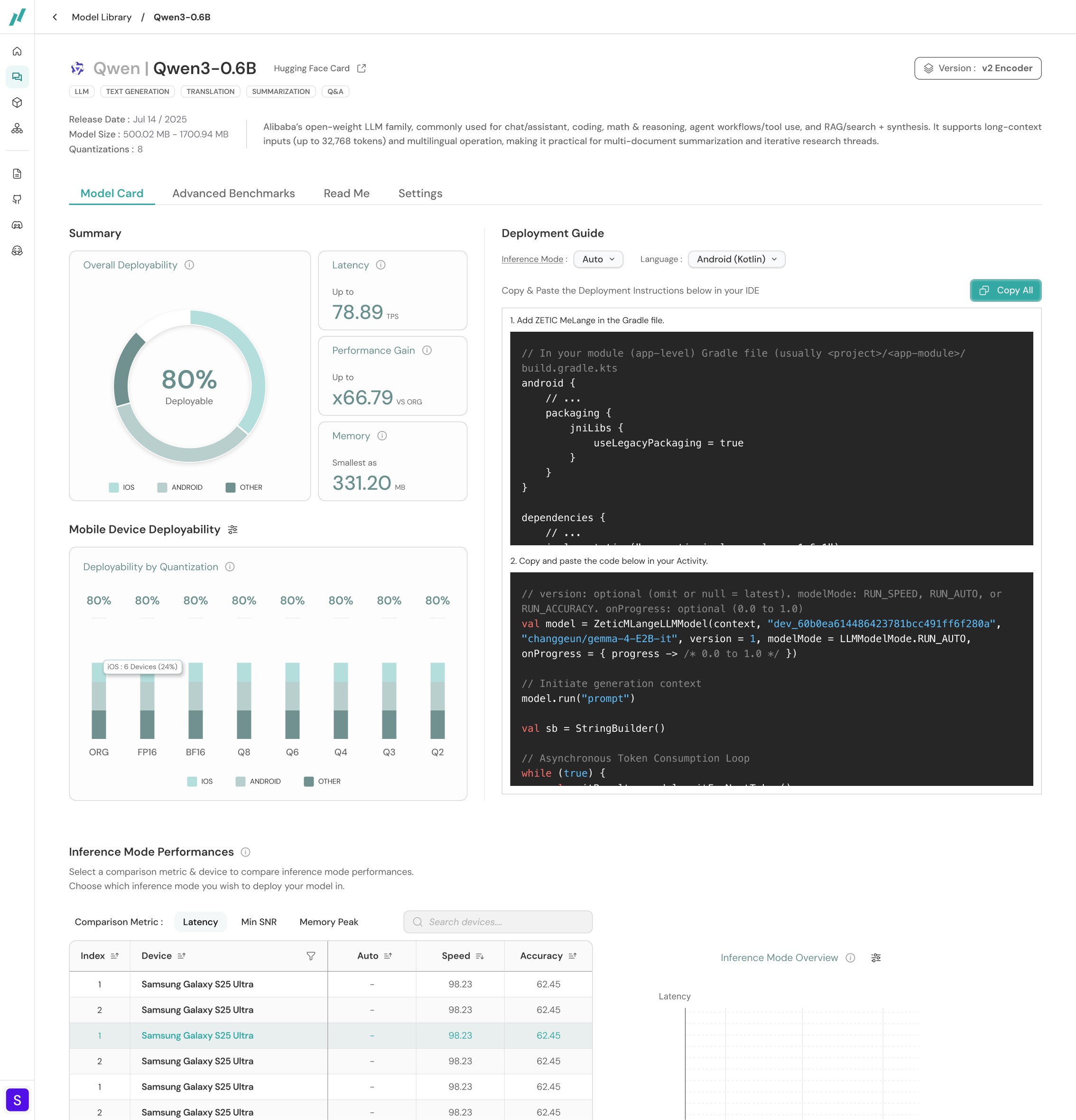
Trade-Off #1
Visually overwhelming amount of content at once
Trade-Off #2
The "Deploy" step of the 3 part process is not highlighted much as before
Decision
Deprioritized.
To align with the "3-step deployment process" slogan, the [Deploy] step needed to be clearly separated, not merged with the [Benchmark] step.
An exploratory version of the model benchmark summary page
03 Deploy : Deploy Pop-Up
1st Iteration
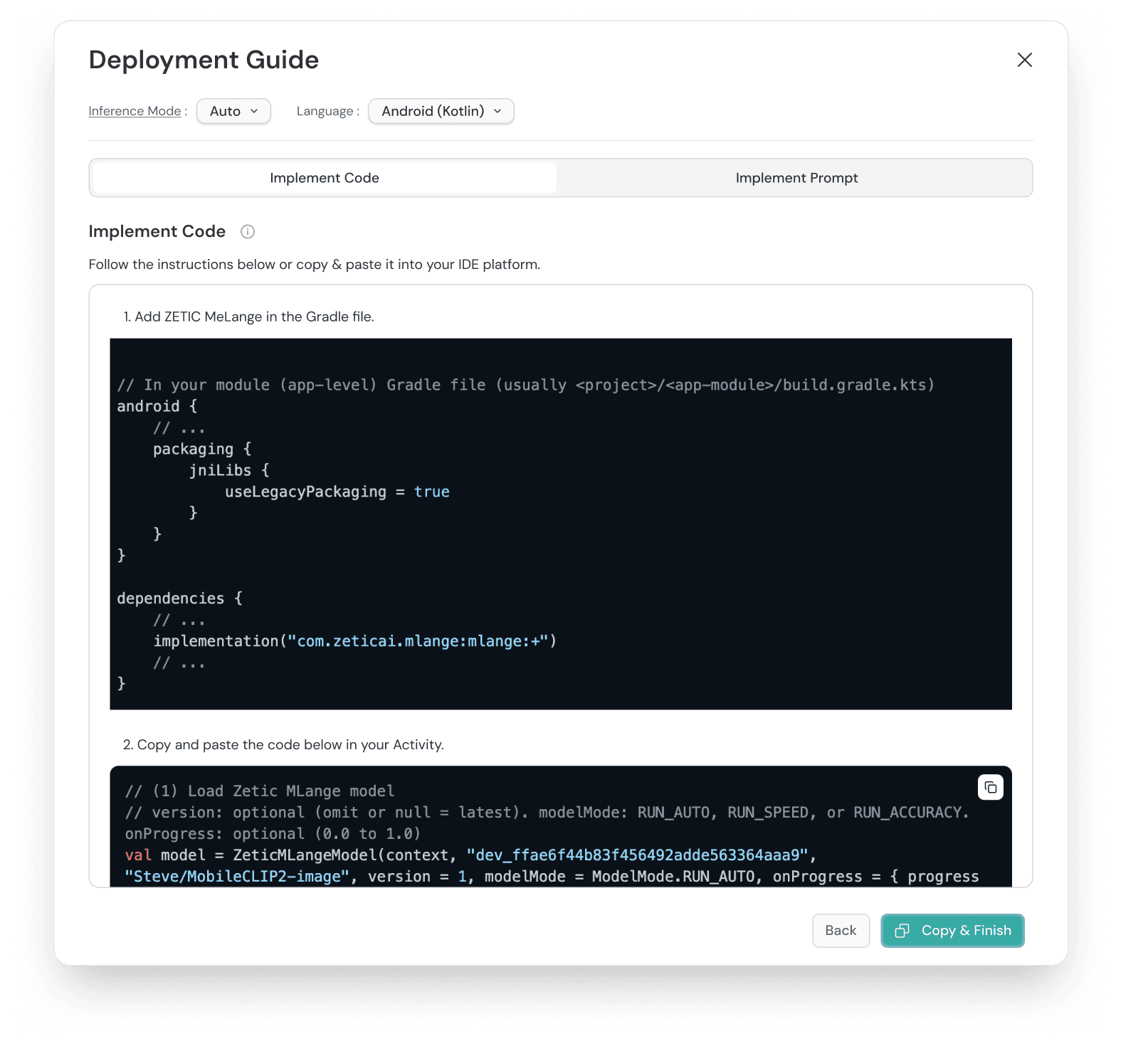

1st Iteration Review
Goal
To guide users to copy & paste the SDK instructions or prompts for straightforward model deployment
Design Aspects
Implement Code tab to show the SDK for developers
Implement Prompt tab for non-developers to deploy the model using natural language
User Feedback / Limitations
"Implement Prompt" is a step that does not align with its placement. This is a step that is to be done before selecting a model, not while deploying the model.
Final Iteration
The implement prompt tab was removed reducing complexity of the deploy popup options.

The final version of the model deployment pop-up
Validation User Research Insights
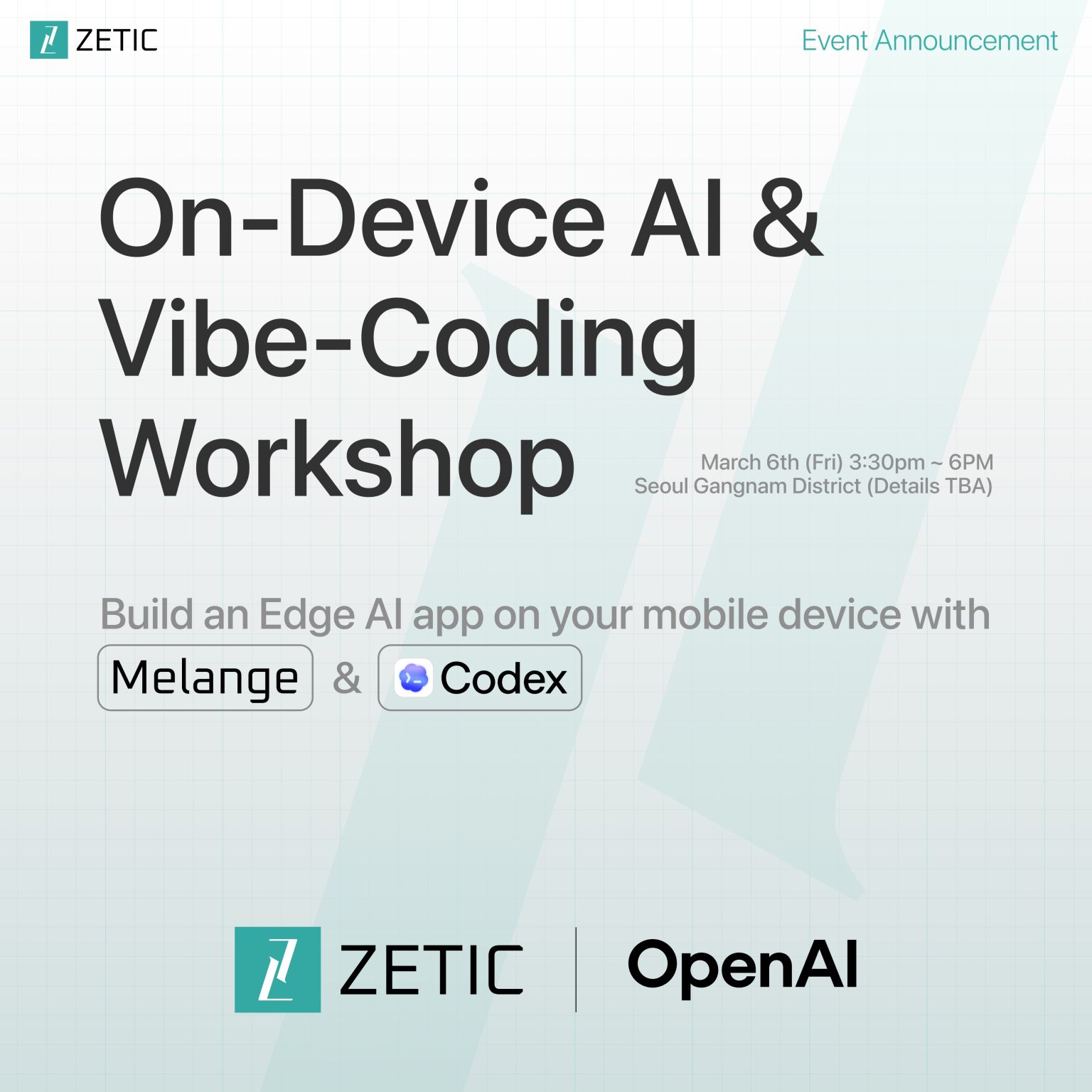
Our startup partnered with OpenAI to host an on-device AI app building workshop using Codex & Melange. I conducted user interviews with 8 workshop participants to gather their feedback and these were some of the main takeaways:
Builders with no development experience struggled with finding the model they needed to deploy for their app
Builders with no development experience spent too much time in the model library page as they had no knowledge of any of the AI models
Most builders did not spend time reviewing benchmarks and was simply looking for the best recommended solution
04 Chat Interface : Model Recommender Agent
Redirecting the user flow
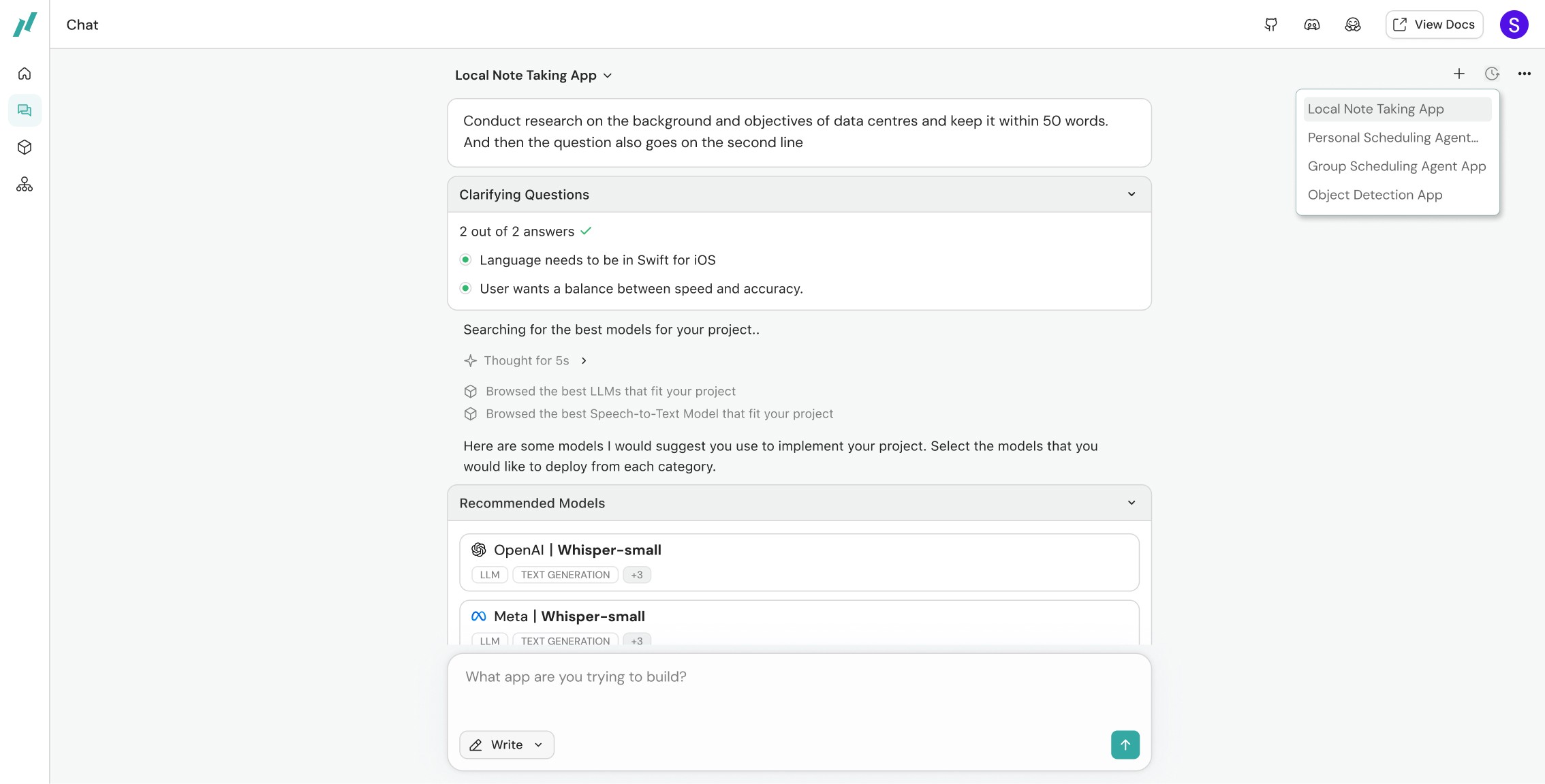
Builders who lack technical knowledge of what model they need to build their on-device mobile AI app need a guided system to help them with their model search. The previous "implement prompt" feature could help with this problem but it was buried too deep in the platform for users to interact with it. It needed to be resurfaced to the platform homepage so users can start their search from the beginning. This led to the development of the chat interface.

System architecture proposal of the model recommender chat feature
Final Iteration
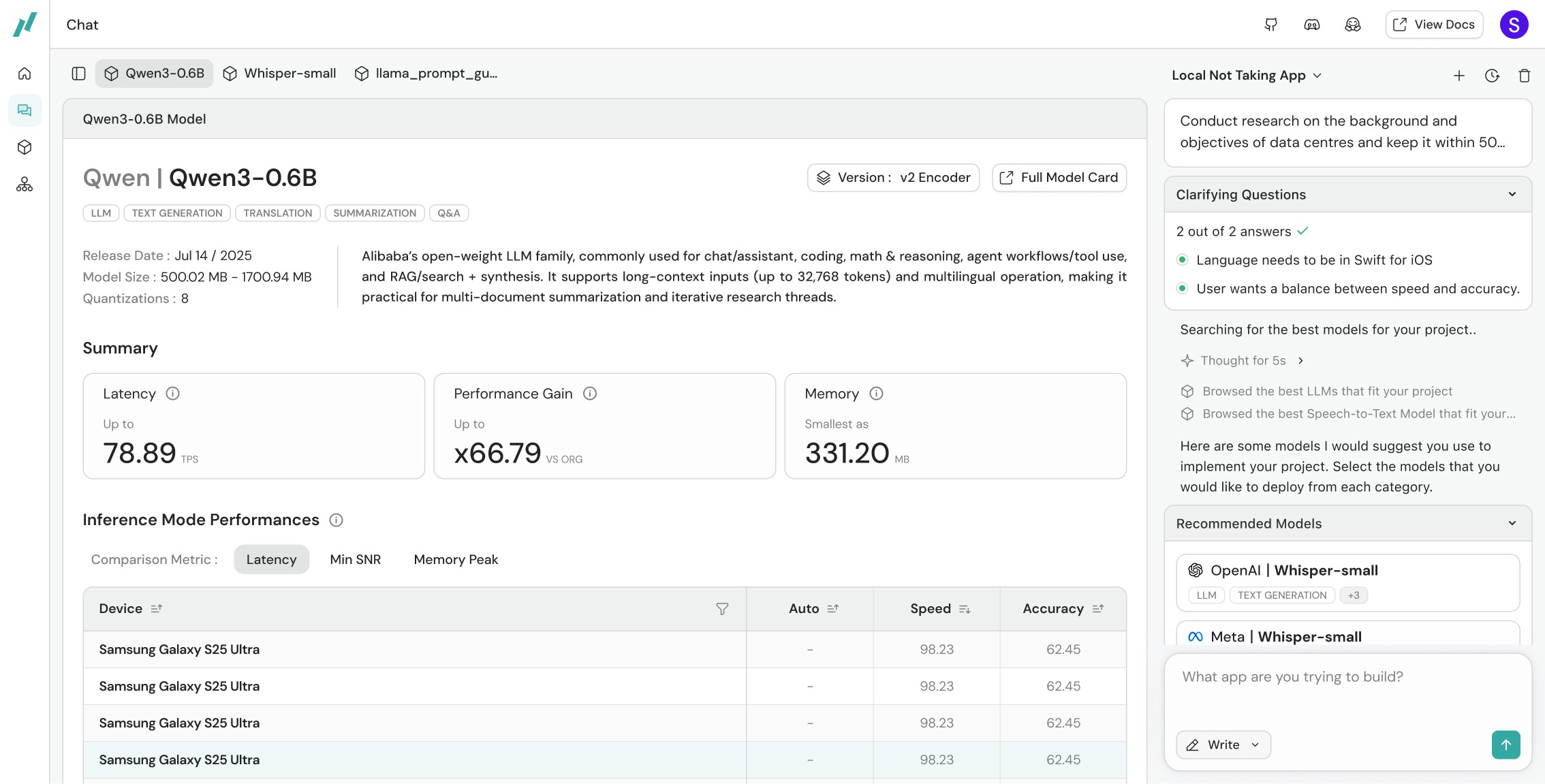
Builders can directly start describing what they are building and the model recommender will search for the best models necessary for the project. Users can select which models to deploy from the recommended list and view details of each model if needed. Finally they can download a markdown file including all the deployment settings and the SDK to paste it in their IDE for deployment.

User Research for Final Validation
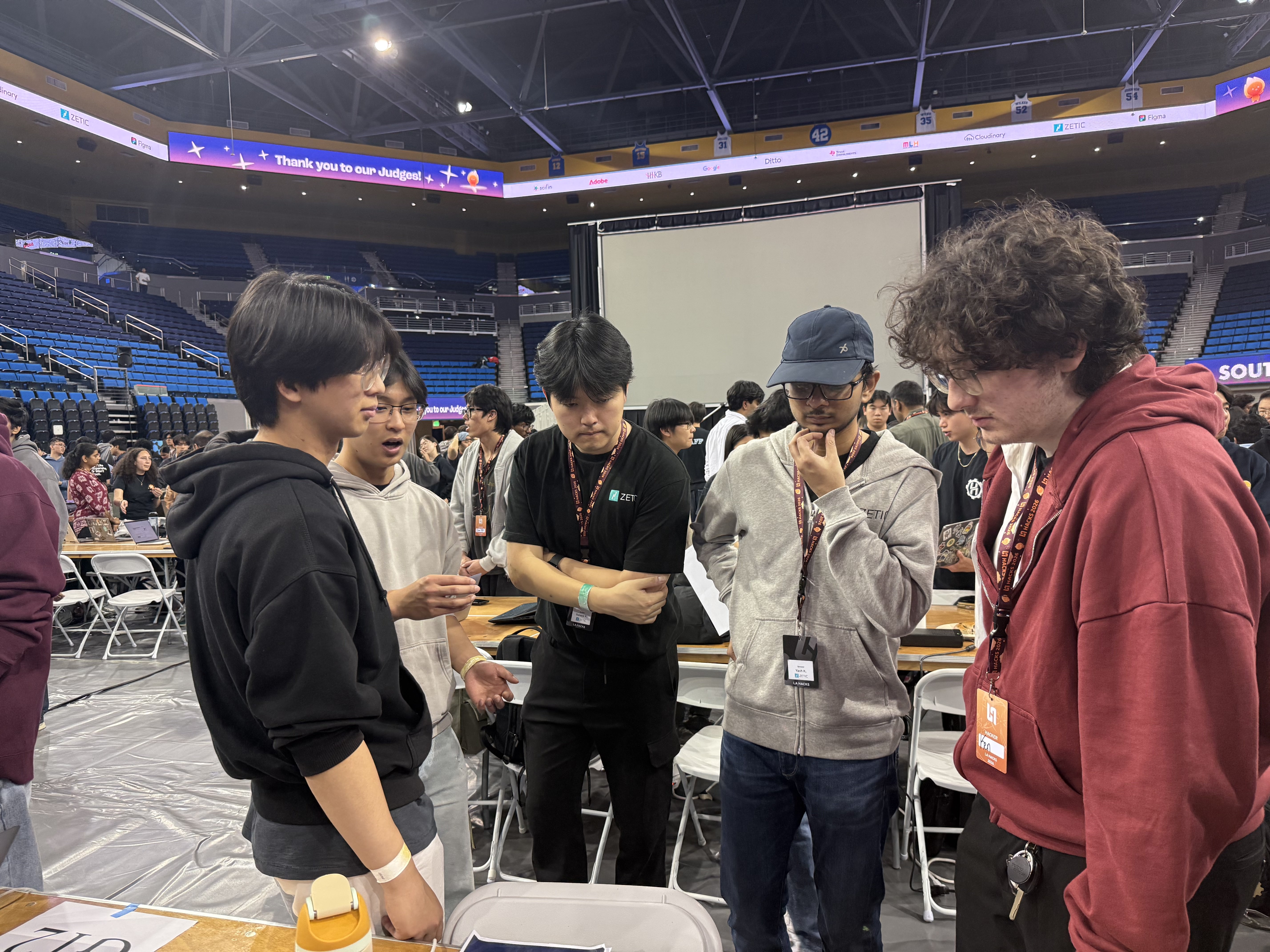
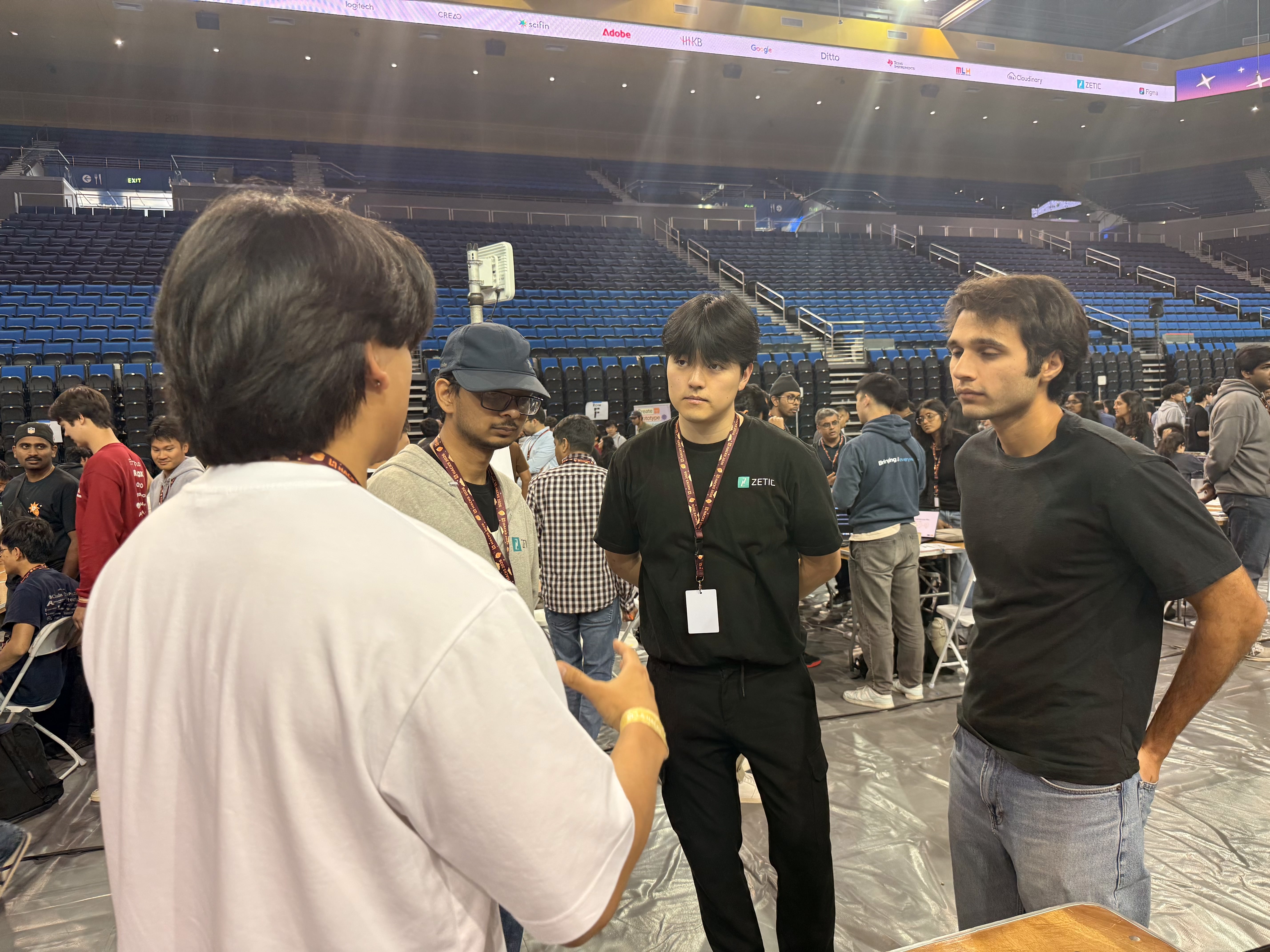
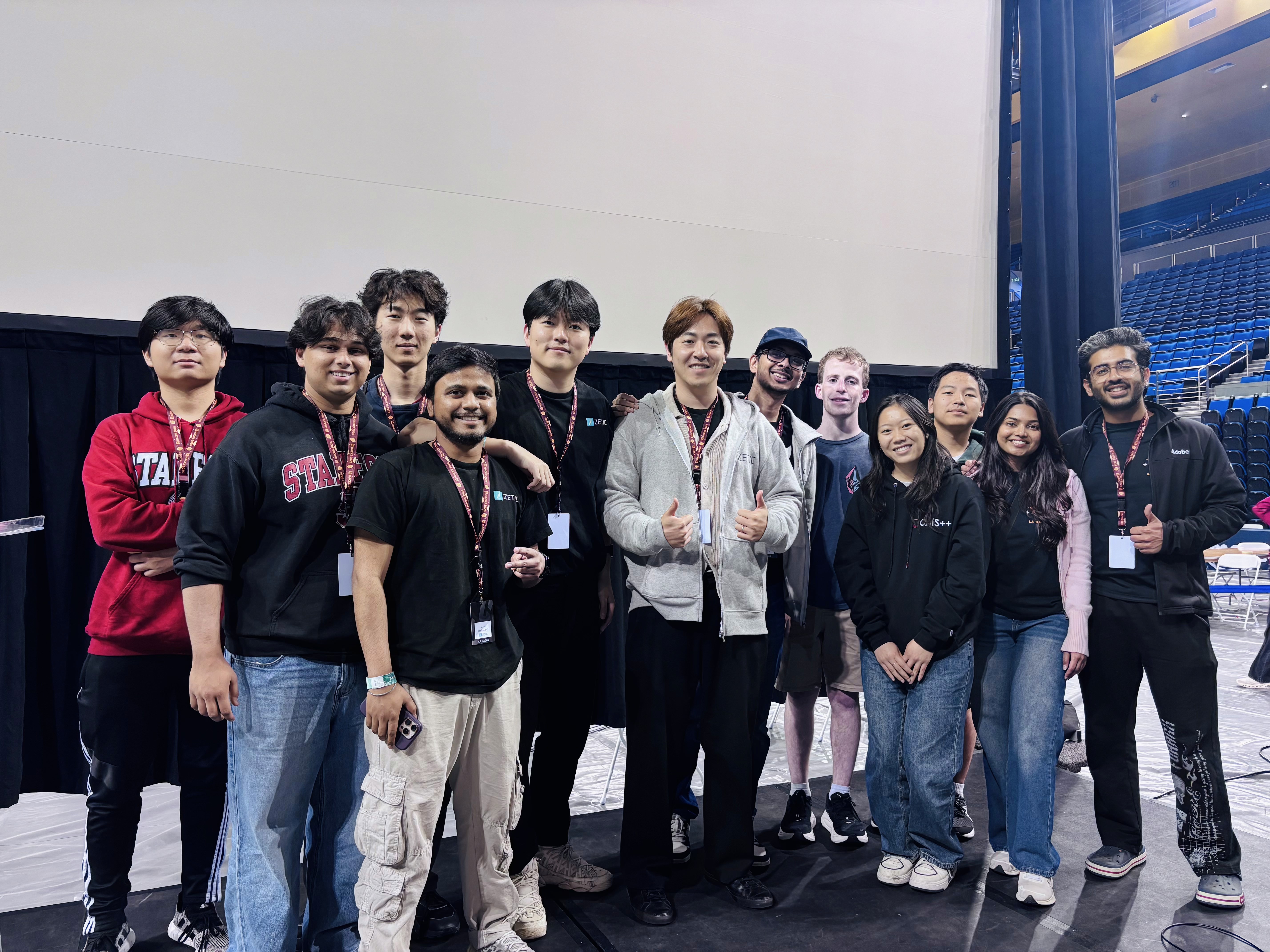
Our startup had the chance to sponsor our on-device mobile AI app track at LA Hacks. 30+ teams competed in our track and built apps using Melange. I conducted user interviews with 19 hackathon participants to gather their feedback. These were the insights :

Overall deployment process on the platform was intuitive & straightforward enough to use without guidance
Designers without developer experience can easily find the models they need through the new chat interface
Developers requested direct MCP connection with the platform so they don't need to access the web platform to deploy AI models locally
Outcome & Impact

Melange acquired the first 800+ users within 6 months + 2 enterprise partnerships & contracts including Qualcomm, LG, Liquid AI and more contributing to the funding of $1.75M in total.
Accelerated front-end implementation by 40% taking on full end-to-end role of product development including Ideation, User Research, Design, and Deployment and building a scalable 50+ component design system using Cursor.
Reduced AI model search time by 64% by building a skills-based chat interface & MCP for IDE-based model deployment.